
Home / Booking help
For guests
Booking the courtesy bus.
Your venue uses The Courto to run its courtesy bus. Here's how to book a pickup or a ride home, check your booking and see when the bus is coming. No app, no account, about a minute.
1 · Book a ride
Book in about a minute.
Scan one of the QR codes around the venue, or open the booking link your venue shares on its website or socials.
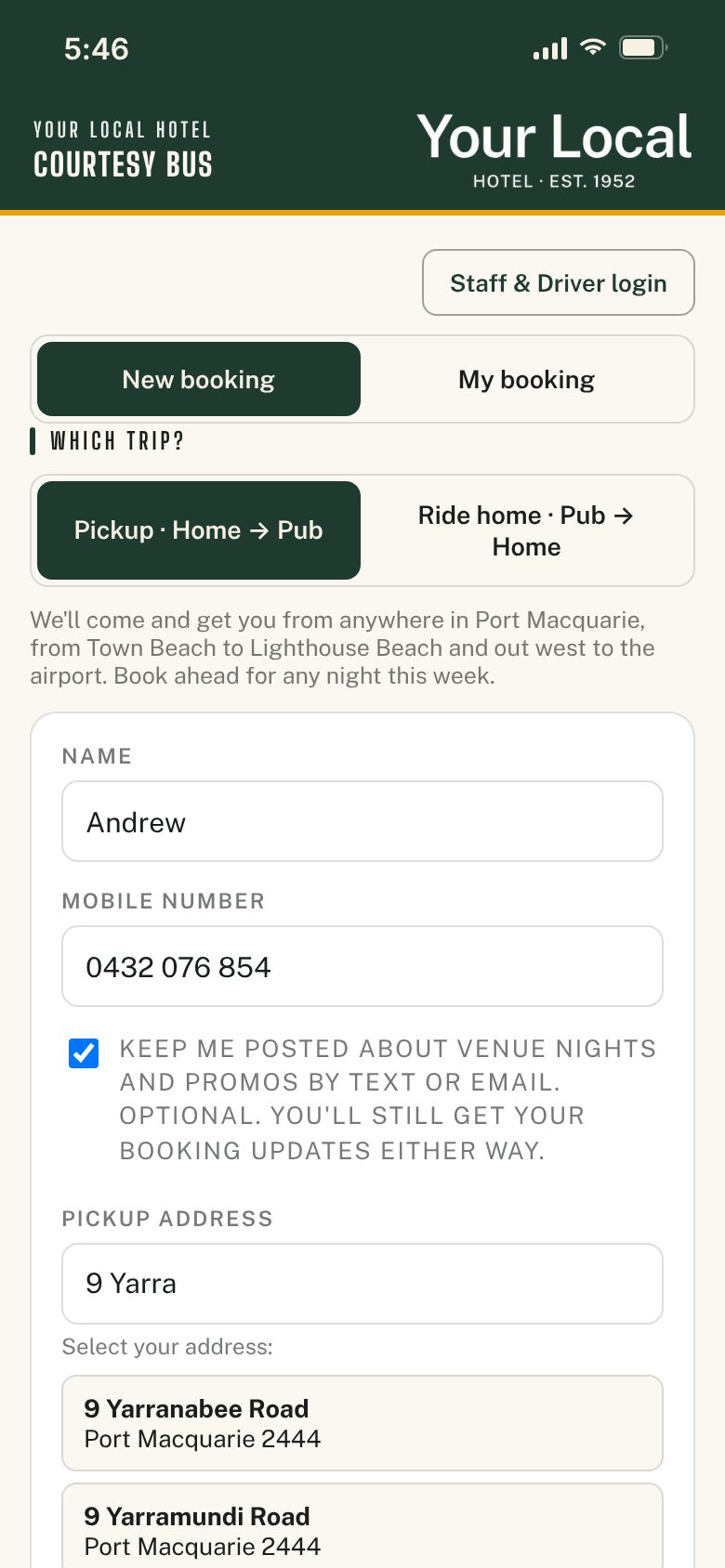
- Pick your tripPickup brings you from home to the venue. Ride home takes you from the venue back home. After booking a pickup, you can book your ride home straight away in one go.
- Add your detailsYour name and mobile number. If you see Remember my details on this phone, tick it and next time they're filled in for you.
- Find your addressType your house number and street name, then pick it from the list. Staying at a caravan park or resort? Look for it in the quick picks.
- Choose a timeBook for tonight, or ahead for any night this week the bus runs. Pick how many people are coming.
- ConfirmYou'll see your booking straight away, with the time to be ready. That's it.
2 · On the night
Be ready, and know your time.
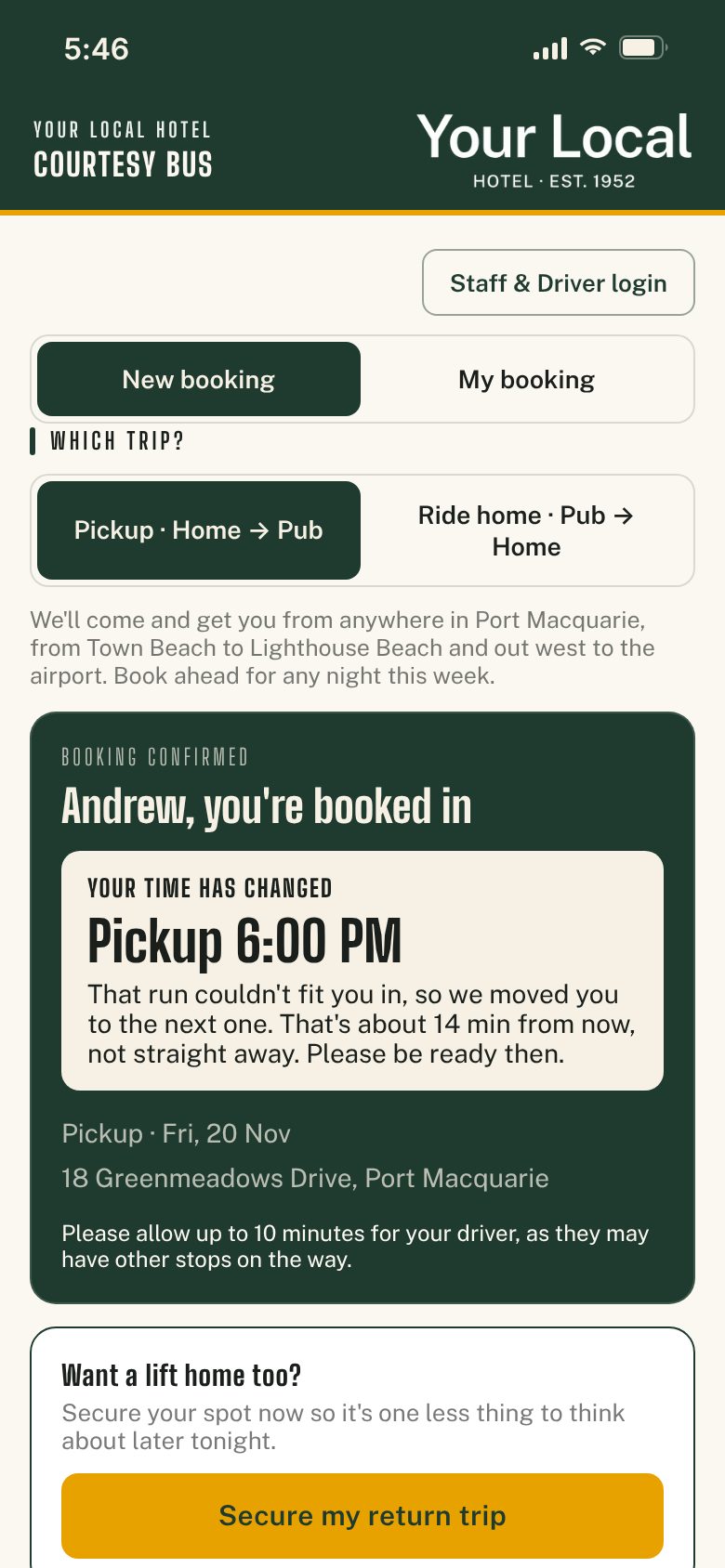
The booking page checks every run before it confirms anything, so the bus can get everyone where they're going on time.
- Be ready from your timeBe at your pickup spot from the time shown, and allow up to 10 minutes. Your driver may have other stops on the way.
- If you're moved to the next runWhen a run is full, or your stop is too far from the others to make it on time, you're booked on the next run. You'll see the new time and the reason.
- If the bus is running lateOn a busy night the venue may move runs back a little. Your new time shows under My booking, and in a text if your venue sends them.
- Same rules for everyonePhone bookings go through the same checks, so staff see the same times you do.
3 · My booking
Check, cancel or see when it's coming.
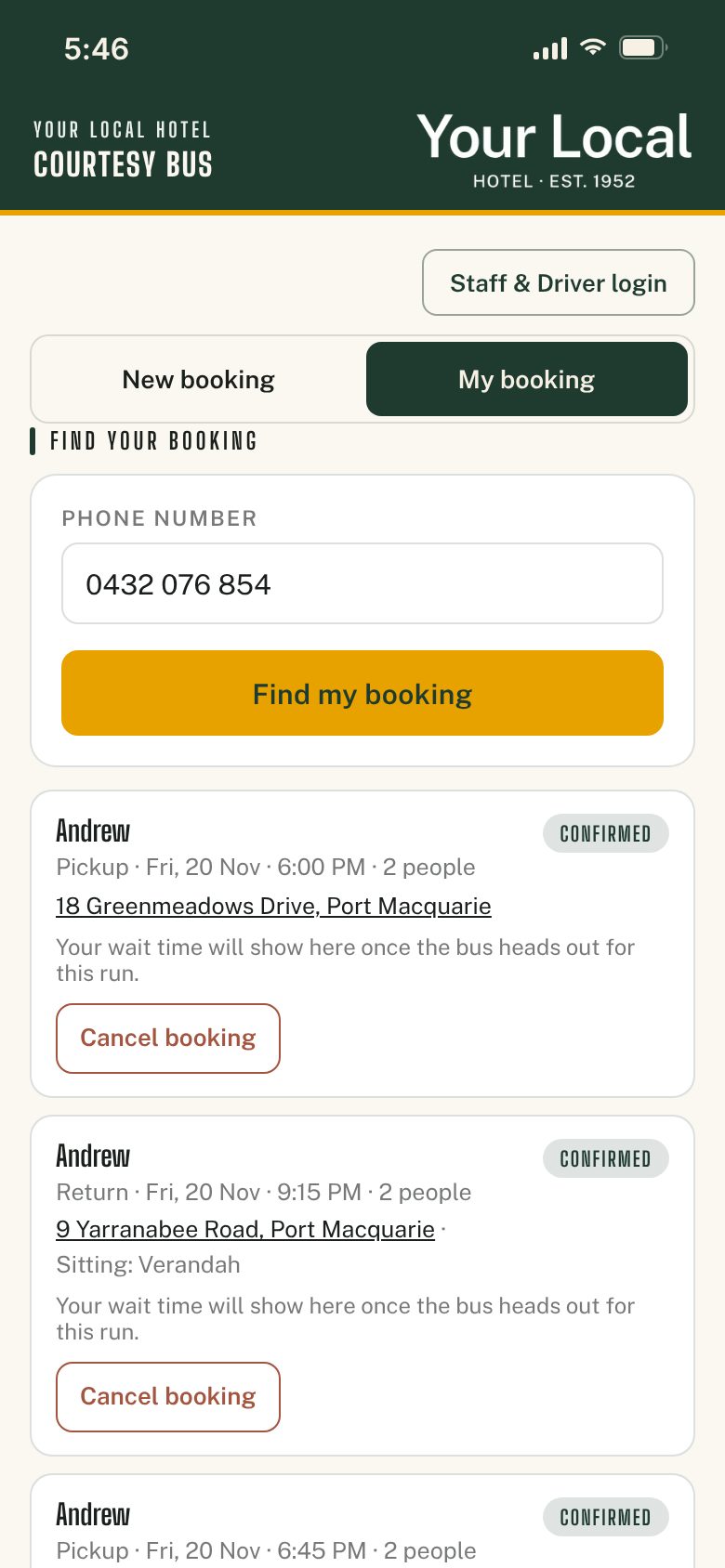
Open the same booking page and tap My booking. Enter the mobile number you booked with to see your bookings.
- See when the bus is dueOnce your run is on the road, you'll see roughly when the bus will get to you.
- Cancel if you don't need itPlans changed? Cancel in a tap, so your seat can go to someone else. Need a different time? Cancel and book again.
- Booking texts are automaticIf your venue sends texts, please don't reply to them. Nobody reads the replies. Use My booking instead.
Good questions
Booking questions.
- Do I need an app or an account?
- No. The booking page opens in your phone's browser. There's nothing to download and no password to remember.
- I can't find my address.
- Start with just your house number and street name, then choose from the list. The search only shows streets the bus covers, so if your street doesn't come up, it may be outside the area. Ask the staff at the venue.
- Can I book for a group?
- Yes. Set how many people are coming. If there aren't enough seats left on that run, you'll be offered the next one so your group stays together.
- Why was I given a different time?
- The run you asked for was full, or your stop was too far from the others to get everyone there on time. The next run fits, and the confirmation tells you why.
- Can I book ahead?
- Yes. Pickups can be booked for any night this week that the bus runs. The booking page only shows nights the bus is running.
- The page says bookings are closed.
- The bus may not be running right now, or the venue has paused bookings on a busy night. Check back a bit later, or ask the staff at the venue.
- Can I just ring the bar?
- Booking online is the quickest way, and it keeps staff free to serve. If you're stuck, ask the staff at the venue and they can book you in.
- Who do I talk to about my booking?
- Your venue. They run the bus and the booking page. The Courto is the booking system they use, so we can't change or check bookings for you.
- What happens to my details?
- Your venue uses them to run the bus and text you about your booking. You only hear about venue news and promos if you tick the box to say yes. Each venue's booking page links to its privacy notice.
Run a venue? See how The Courto works