
Home / How it works
How it works
One link for guests, staff and drivers.
The Courto is a single web page that works on any phone, tablet or computer. Here's what guests, staff and drivers each see, how every run gets checked, and how your venue gets set up.
1 · Guests book
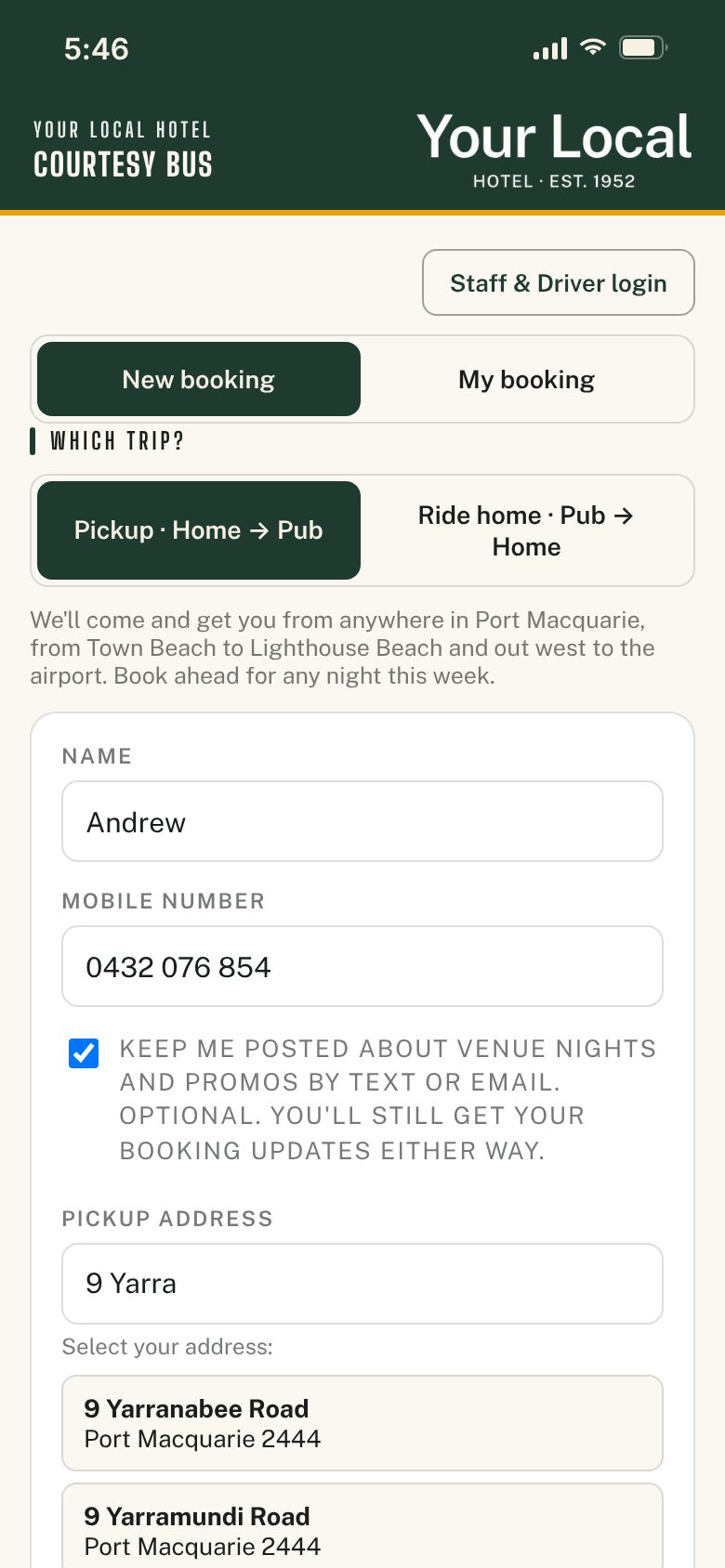
Booking takes under a minute.
Guests open your link or scan one of the QR codes around the venue. There's nothing to download and no account to create.
- Pick the tripA pickup to the venue, a ride home, or both in one go. Their phone remembers their details for next time.
- Find the addressThe search only suggests streets inside your service area, plus quick picks for the caravan parks and resorts guests stay at.
- Choose a timeTonight, or any night this week the bus runs. Run on demand, or pick from your set departure times. Clubs with a printed timetable can use a simple step-by-step page: day, service, time, then details.
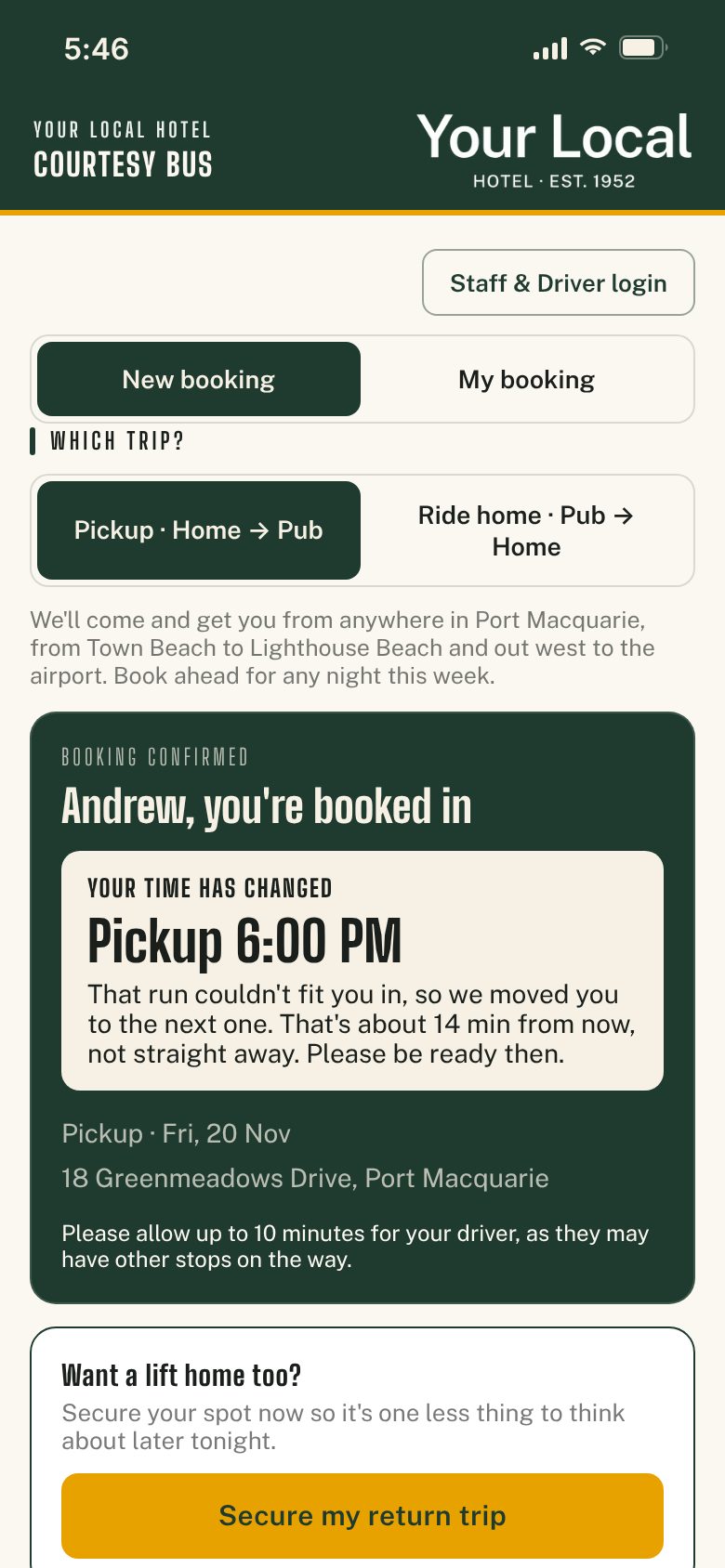
- Get confirmedThey see exactly which run they're on. If it's full, they're offered the next one and told why.
- Manage it themselvesUnder My booking, guests use their mobile number to check their booking, see when the bus is due, or cancel. Plans changed? Cancel and rebook in under a minute. Optional text confirmations give them something to refer back to.
2 · Every run checked
It won't book a run that can't work.
Most booking tools only count seats. The Courto checks two things before it confirms anything.
- The seatsSeats are counted each way. Each run drops guests home first, then collects pickups on the way back, so one bus runs on one timeline.
- The driveIt works out the route using real drive times. If a new stop is too far from the others to get everyone there on time, the guest is moved to the next run.
- The guest knows whyNobody is left guessing. They see the new time and the reason, right on the confirmation.
- The app has the final sayPhone bookings from regulars go through the same checks. Nobody behind the bar has to argue about a full run.
3 · Staff manage
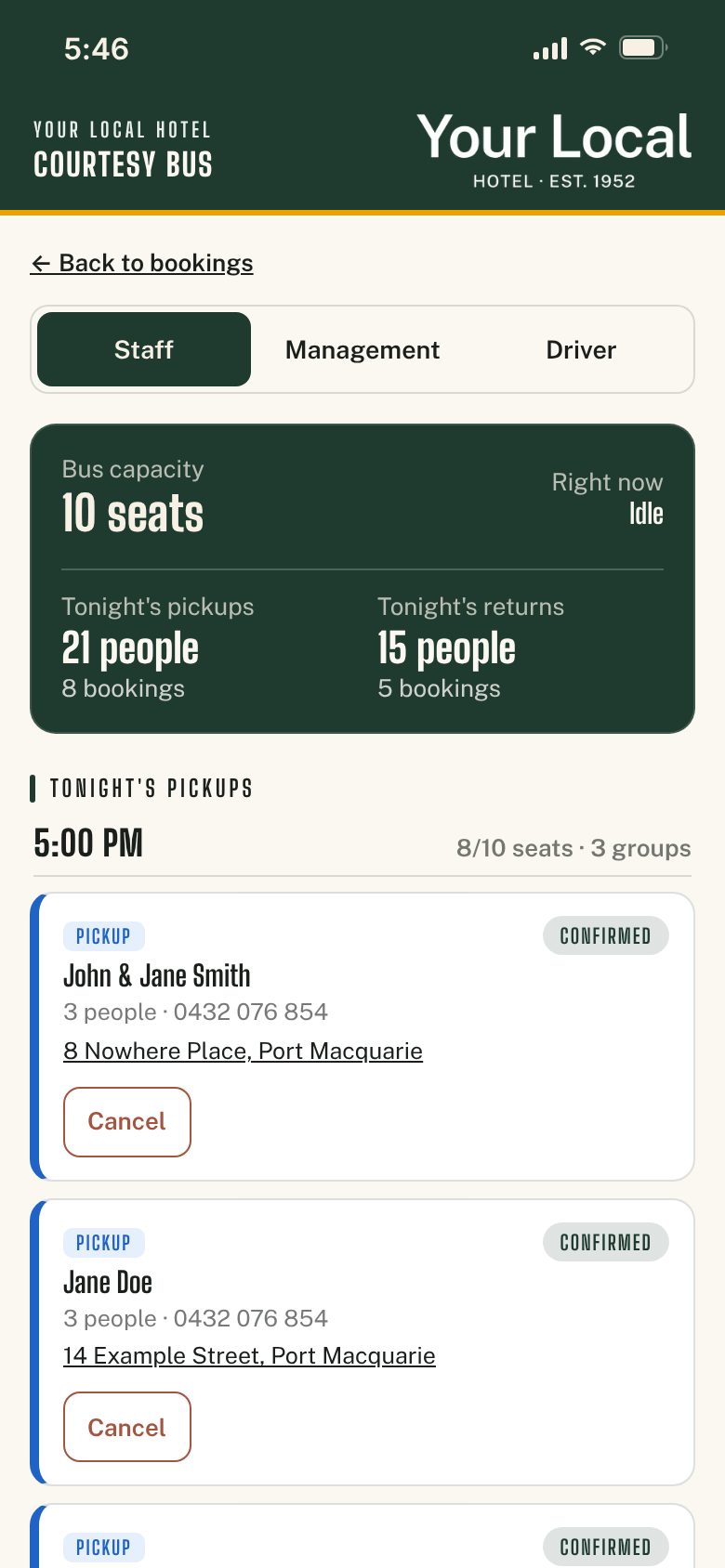
Tonight's bookings at a glance.
Behind the bar or at reception, staff see every booking grouped by run, on any screen. Pickups show in blue, rides home in amber, and finished stops are greyed out.
- Phone bookings in a few tapsRegulars who'd rather ring go into the same runs as everyone else.
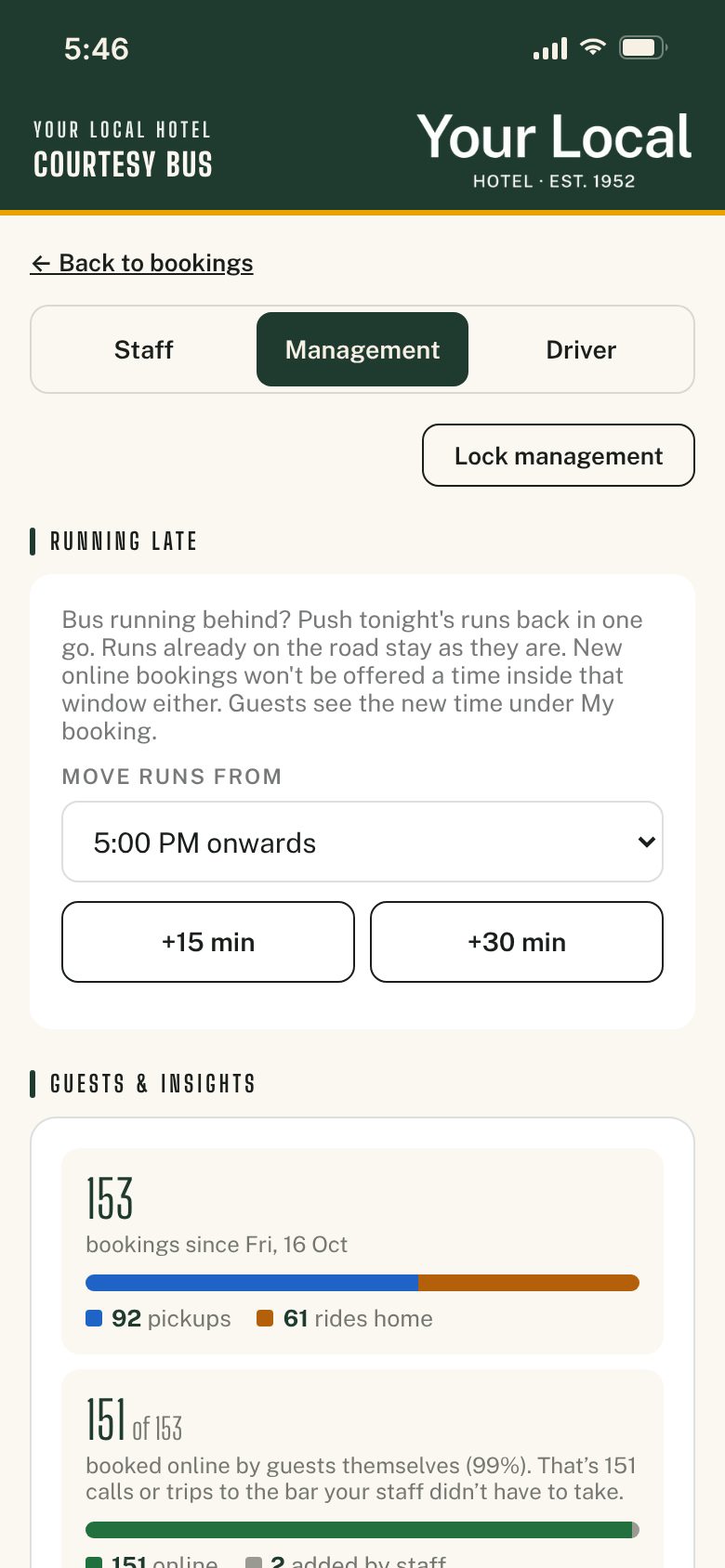
- Control the nightPause bookings in one tap. Running late? Push tonight's runs back 15 or 30 minutes and guests see their new time.
- Management, behind its own PINBar staff get a simple Staff tab. Hours, break times, driver PINs and guest data sit in a Management tab with a separate PIN.
- Your rules, shown as guests bookLast bus times, ticket from the bar, kids' ages, members and guests: guests see them before they confirm.
- Know your busSee your busiest nights, which towns guests come from and who your regulars are.
- A guest list you ownGuests can opt in to hear about your venue nights, and you can download every booking as a spreadsheet any time.
4 · Drivers run it
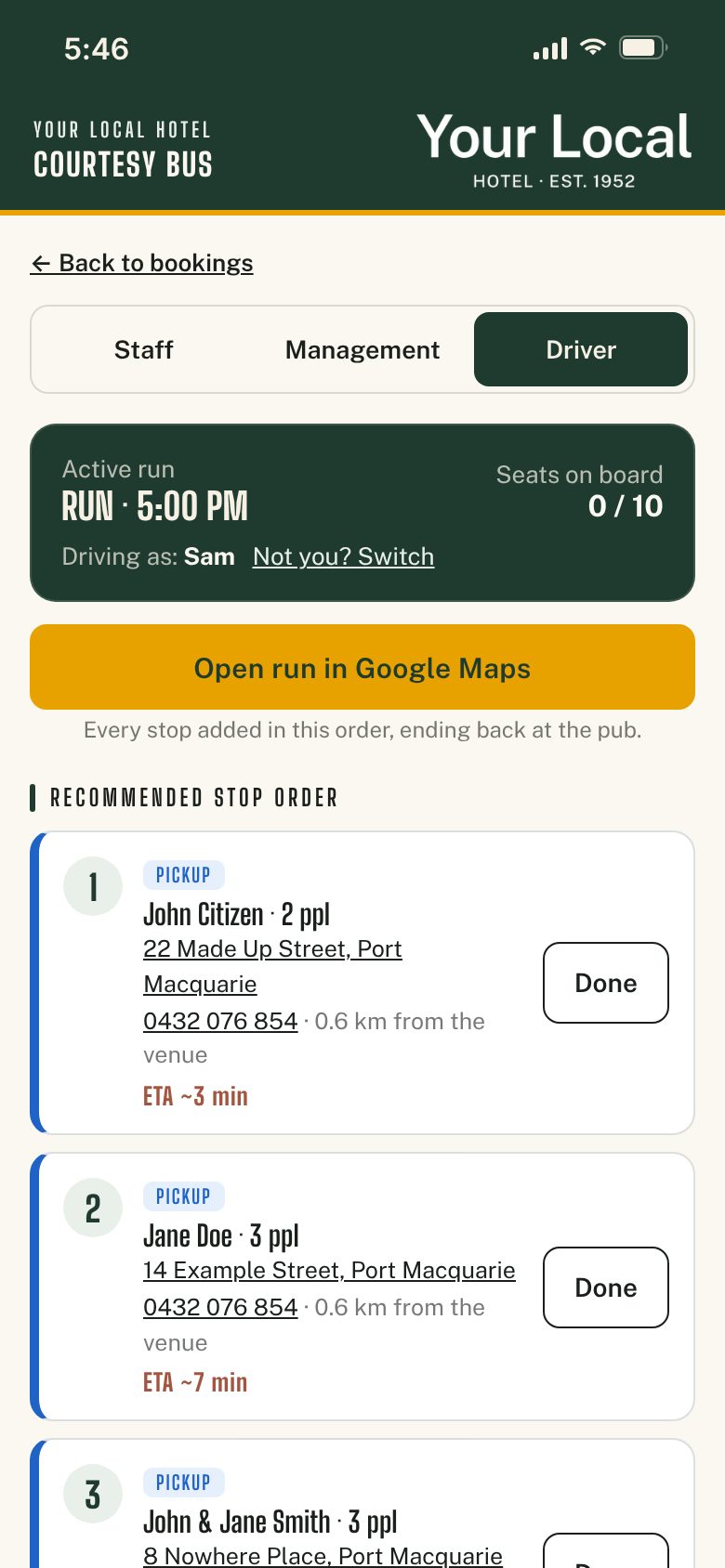
A stop list in the right order.
No more working out the run at the lights. The driver's phone or tablet does it.
- Sign in for the shiftEach driver has their own PIN and stays signed in for the whole shift. Every run is stamped with who drove it and when.
- Load the runThe stops come up in a sensible order, with an ETA for each one.
- Call or navigateTap to call a guest, or tap the address for Google Maps directions.
- Tick it offTap Done at each stop and Finish at the end. Load the wrong run? There's a Go back button.
- Never miss a bookingDrivers who aren't near the bar can get an optional text for every new booking or cancellation, and switch it off any time.
Getting set up
All you need is a phone, tablet or computer with a web browser and an internet connection. How pricing works · Common questions
Get in touch
See it set up for your venue.
Tell me your venue and I'll build a demo with your logo, towns and timetable, then walk you through it. Your first full month is free. Or just give me a call. If I'm on the bus, I'll ring you back.